Record it once. Never explain it twice.
Screen recording, Auto editing, and the AI workspace for meetings and async work. Open source. Private first.
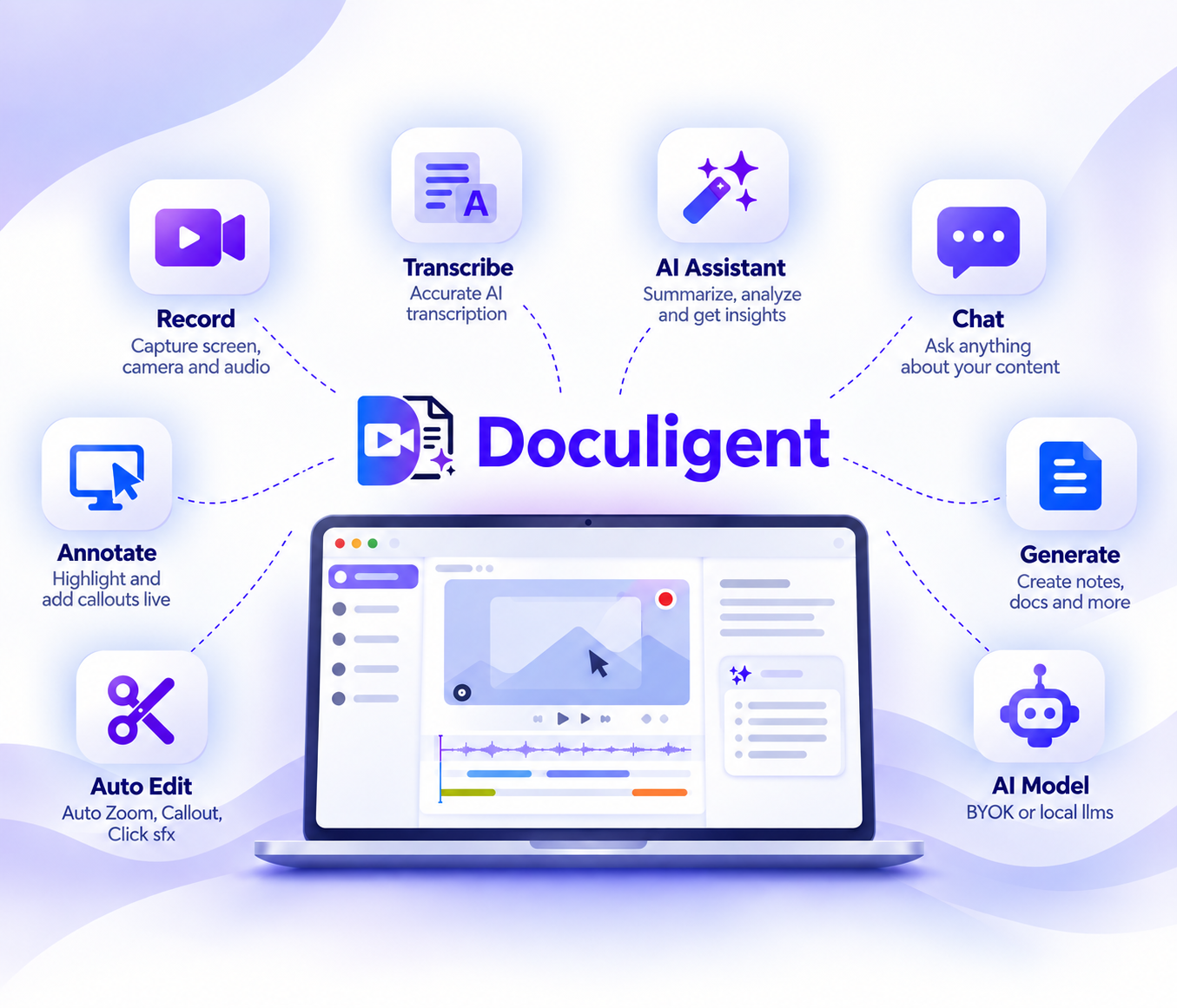
From recording to ready-to-share
From your first recording to a polished, shareable video — Doculigent handles the editing, transcription, AI, and delivery in one workflow.
Record
Capture screen, camera, and mic audio in one pass, up to 4K.
Auto Edit
Auto zoom, callouts, and click sound effects — no manual editing.
Transcribe
Accurate, speaker-separated transcription, on-device by default.
AI Assistant
Summarize a session and ask questions about it, instantly.
Chat
Ask anything about your content and jump straight to the answer.
Annotate
Highlight, circle, and add callouts live while you record.
Share
Share instantly with Google Drive or your own S3 bucket.
AI Model
Bring your own key, or run everything on local LLMs.
Everything, in one recording.
Record, edit, summarize and share — without switching apps or juggling subscriptions.
Live meeting transcripts.
No bot joins the call. Doculigent streams a live transcript while the meeting's still happening — works with Teams, Zoom, and Google Meet.
Annotate while you record.
Record your screen with a camera overlay, in one pass, at full resolution — then mark it up as you go: circle a chart, drop an arrow, highlight a line, without ever leaving the recording.
AI summaries.
Turn a long session into the decisions, action items, and highlights — ready before you've closed the tab.
Chat with your recordings.
Ask a question about any recording and jump straight to the moment it happened, timestamp included. Recording done — GitHub, Slack, and Teams already know.
Never miss a blocked update.
Upload a recording to a team and Doculigent's AI PM scans it alongside everyone else's, rolling every update into one status: blocked, at risk, on track.
Private by default.
Transcription runs on-device with Whisper. Pick a local LLM or bring your own key for everything else — your recordings and chats never have to leave your machine.
Bring your own storage.
Stay on Doculigent Cloud, or point your team at your own S3-compatible bucket — AWS, R2, MinIO, whatever you run. Same sharing, your infrastructure.
Multilingual Live Transcribe
Live, while the meeting's happening, or normal, straight off a recording — Doculigent transcribes either one, diarized, in whatever language the room is actually speaking, entirely on-device.
 English
 Mandarin
 German
 Spanish
 Korean
 French
 Japanese
 Portuguese
 Dutch
Dutch Arabic
 Italian
 HindiEnglishMandarinGermanSpanishKoreanFrenchJapanesePortugueseDutchArabicItalianHindi
Less Meeting. More Doing.
Recording, editing, live and AI transcription, joining a call — a few ways teams put Doculigent to work instead of just filing a recording away.
Picture every meeting summarized before you've closed the tab.
Doculigent turns the recording into decisions and action items while you're still reaching for your coffee.
Find the exact moment someone said "yes" — instantly.
Chat with any recording and jump straight to the second it happened — no more scrubbing a 90-minute call.
Onboard a new hire without hopping on a call.
Record your screen and voice once, camera overlay included, and let them replay it whenever they're stuck.
Get a bug report that shows, not tells.
Email the recording, transcript, and summary straight to the engineer — no more "can you repro on your end?"
Catch up on the transcript of a meeting you missed.
Live meeting transcripts stream in for Teams, Zoom, and Google Meet — without another bot joining the call.
Enjoy recordings that never touch someone else's server.
Local LLMs or bring your own key — either way, your files and chats stay on your device by default.
Skip the status meeting — let the AI PM run it.
Every recording your team uploads gets scanned automatically and rolled into one status — blocked, at risk, on track — before anyone has to ask.
Join the call like normal — the transcript just happens.
No bot to admit, nothing else to open. Join Teams, Zoom, or Google Meet yourself, and Doculigent streams the live transcript alongside.
Close a support ticket without asking for a screenshot.
Record what's on screen, email it to the customer or the team on the case, and let the transcript fill in the rest of the story.
Manage it on the go
Sign up for a free Doculigent account to spin up an AI project manager, chat with your recordings, and connect apps like Slack and GitHub to take action — all from any browser, no desktop app required.
What people are saying about Doculigent
We stopped scheduling “quick syncs” just to explain a bug — now we record the screen and Doculigent writes the summary.
The diarized transcripts alone paid for themselves in the first week. I can search a meeting instead of rewatching it.
Everything runs on-device. That was the whole reason we picked it over the alternatives.
Onboarding new hires used to eat a full day of live walkthroughs. Now I record once and Doculigent handles the rest.
It's open source, it's fast, and it doesn't try to upsell me every time I open it.
I email the recording instead of writing up a bug report now. Nobody's ever asked me to 'repro on a call' since.
Doculigent's AI PM turns our standups into a written update everyone can skim before the next one starts.
Every sales call gets its own AI PM now — next steps and follow-ups drafted before I've even left the room.
It opened a GitHub issue straight from the meeting recording, right repo, right labels. Didn't expect that.
Built in the open
Doculigent's app is fully open source — read the code, file an issue, or ship a pull request.